🎵 Music
The Music profile turns the DK-Quake screen into a turntable: rotating record on the left, play/pause, previous, next, progress and volume on the right.
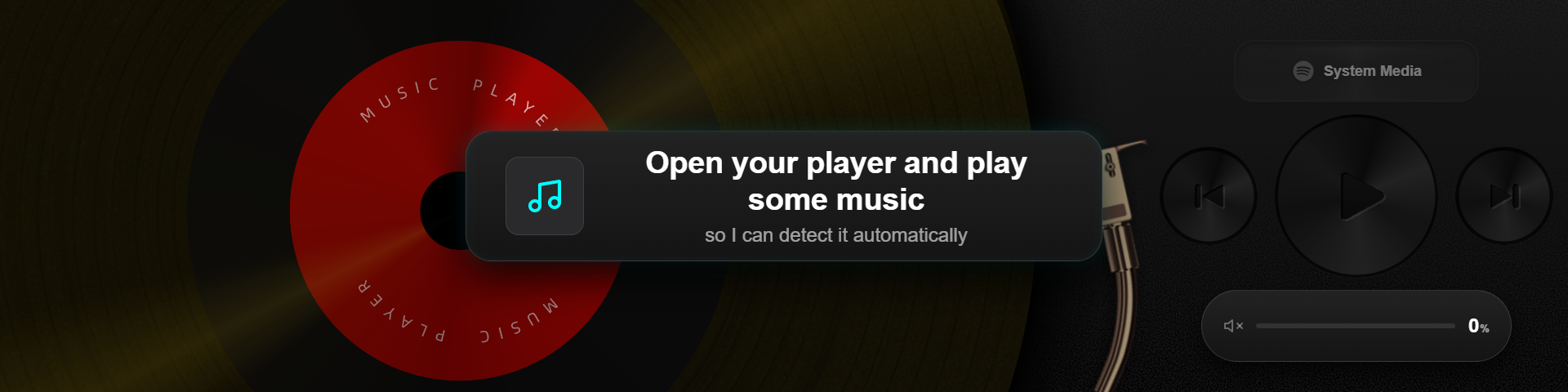
What's on screen
| Area | Content |
|---|---|
| Record | Rotating album art (MUSIC PLAYER) |
| Playback controls | ⏮ previous / ▶ play-pause / ⏭ next |
| Volume bar | Drag to adjust, value shown on the right |
| Source chip | Current source in the top-right corner (e.g. “System media”) |
Bottom settings (click the player)
Clicking the player opens the Player settings with two sources:
Two playback sources:
| Source | Notes |
|---|---|
| Local music | Play local audio files |
| System media | Control any player on Windows through SMTC — QQ Music / Spotify / Apple Music, no login required |
Below that:
- Now playing — current track info (“Nothing playing” when idle)
- Media session — detected sessions, with a Follow current action
Click Save to apply.