🕐 Clock
The Clock profile turns the DK-Quake screen into a clock panel: date and weekday on the left, a very large time in the middle, weather and a mini music player on the right.
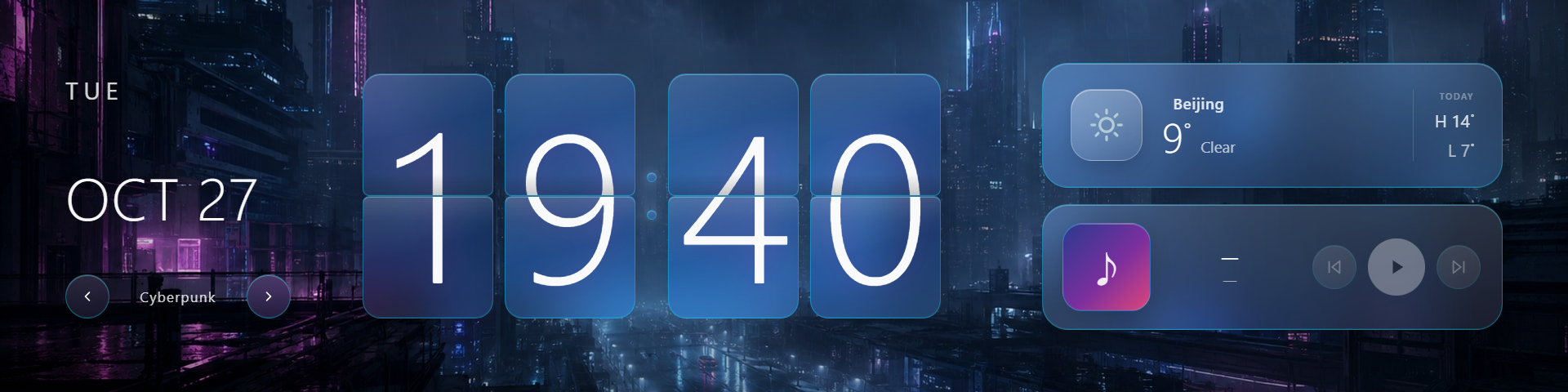
What's on screen
| Area | Content |
|---|---|
| Date | Weekday (Tuesday) and date (Oct 27) |
| Clock | Very large digits, updated live |
| Theme switch | ‹ Cyberpunk › under the date cycles clock themes |
| Weather card | Current icon, temperature, TODAY high/low |
| Mini player | Record art with previous / play-pause / next; shows Music unavailable when no player is detected |
Bottom settings
Click the clock panel on screen and the clock settings expand below (with a Save button, like System Monitor):
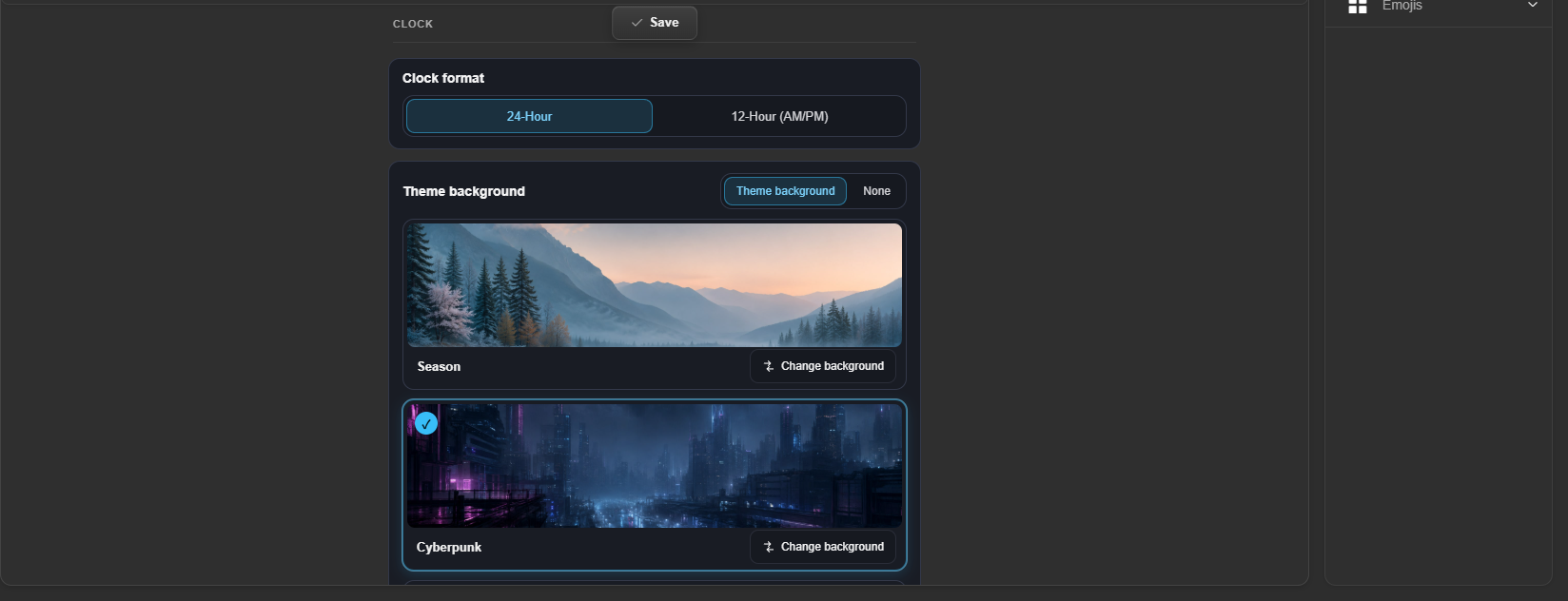
| Setting | Options |
|---|---|
| Clock format | 24-hour / 12-hour |
| Theme background | Theme background (built-in theme cards — Season / Cyberpunk / Anime / Tactical / Aurora …, each with a “Change background” action) or No background |
| Weather card | Toggle the weather card on the right; when on, type a city name (e.g. Shanghai). Input is validated live: checking / matched / not found / network error / timeout |
Click Save to apply.
Want a different layout?
Clock is a preset profile — cells can't be added or removed. Copy it or create a custom profile and drag DK-Quake commands onto the grid, see Custom Profile.