🤖 AI Capabilities
DK-Suite includes multiple AI features covering chat, config generation, wallpapers, and meetings.
Quake AI Workbench
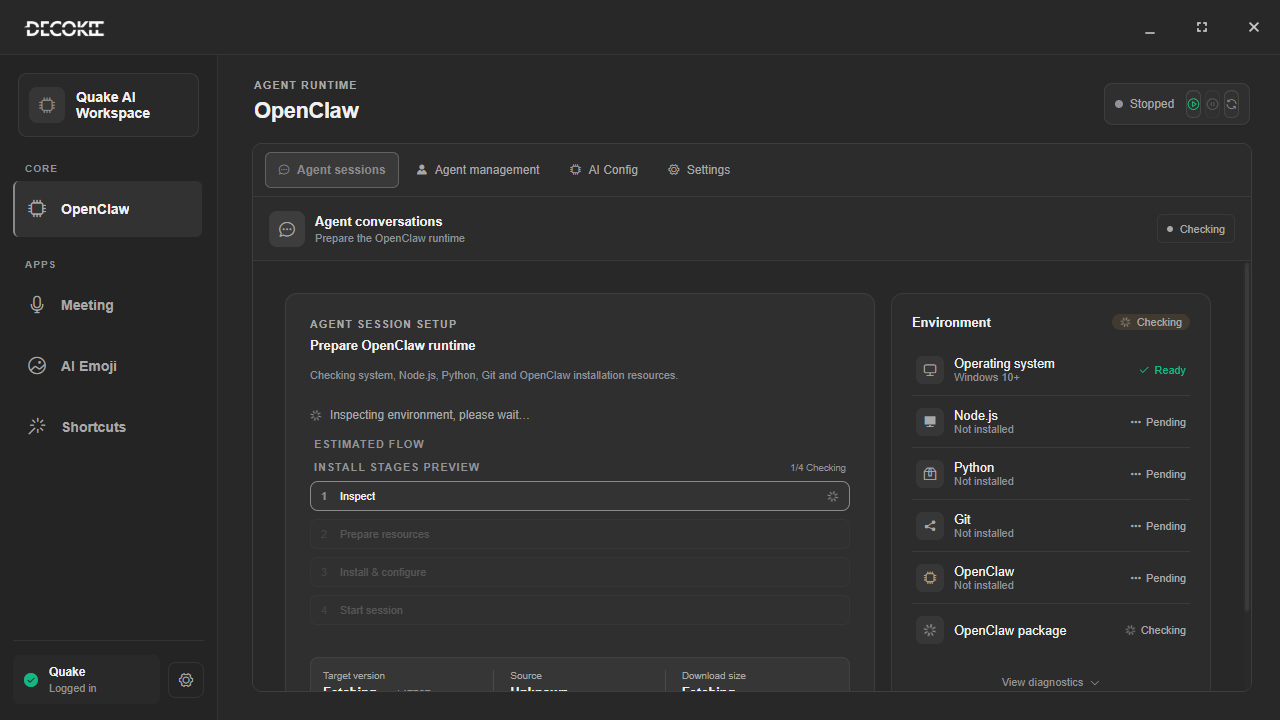
AI features live in the Quake AI Workbench window (TitleBar → Workbench):
| Group | Entry | Contents |
|---|---|---|
| Core | OpenClaw | AGENT runtime: Agent sessions / Agent management / AI config / Settings |
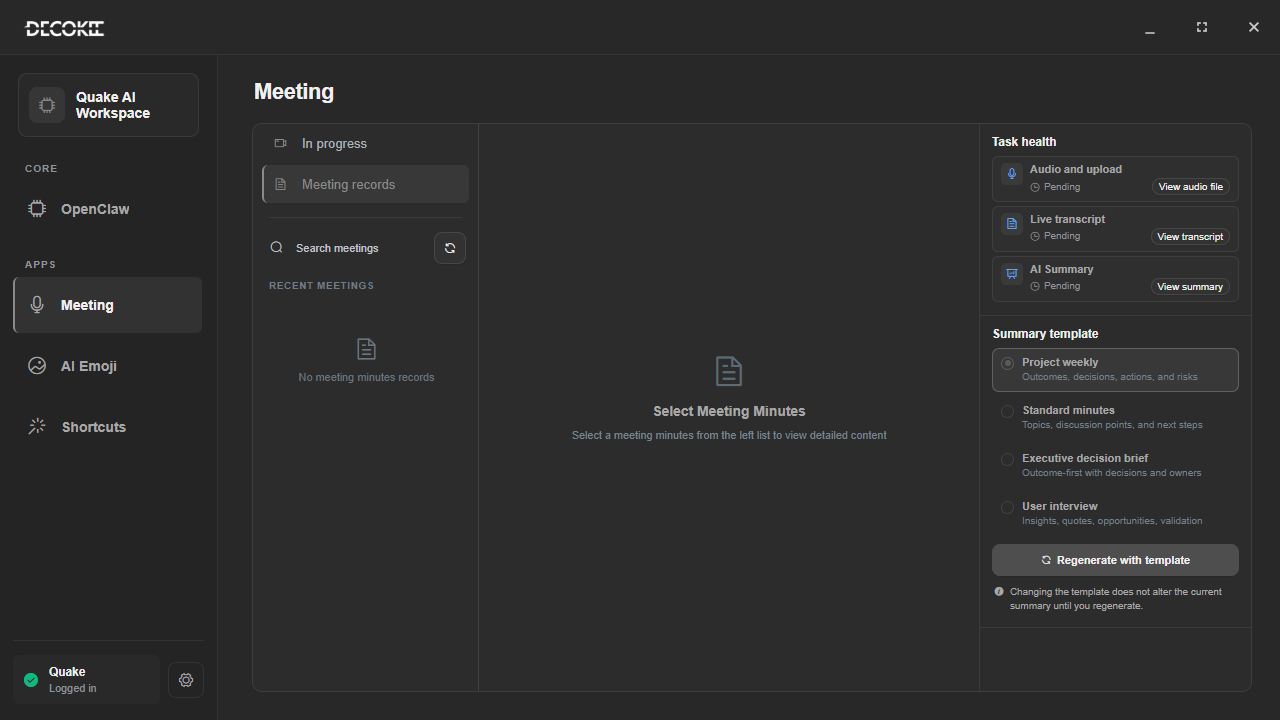
| Apps | Meeting | Meeting records, live transcription, minutes |
| Apps | AI Emoji | Emoji generation and management |
| Apps | Shortcuts | AI generates shortcuts from a description |
| Quake | Quake | AI settings related to the device screen |
AI Chat
Independent chat window supporting:
- Multi-turn context — remembers conversation flow
- History — manage multiple conversations
- Message actions — copy, delete, regenerate
- Multi-model — configure OpenAI, Claude, DeepSeek, etc.
- Voice I/O — microphone input + TTS playback
- Role presets — 100+ built-in prompts (writing assistant, coding tutor, translator, etc.)
Path: TitleBar Workbench → OpenClaw → Agent session (start the OpenClaw service first)
AI Generate Shortcuts
Skip manual config — let AI do it. Entry: Workbench → Shortcuts.
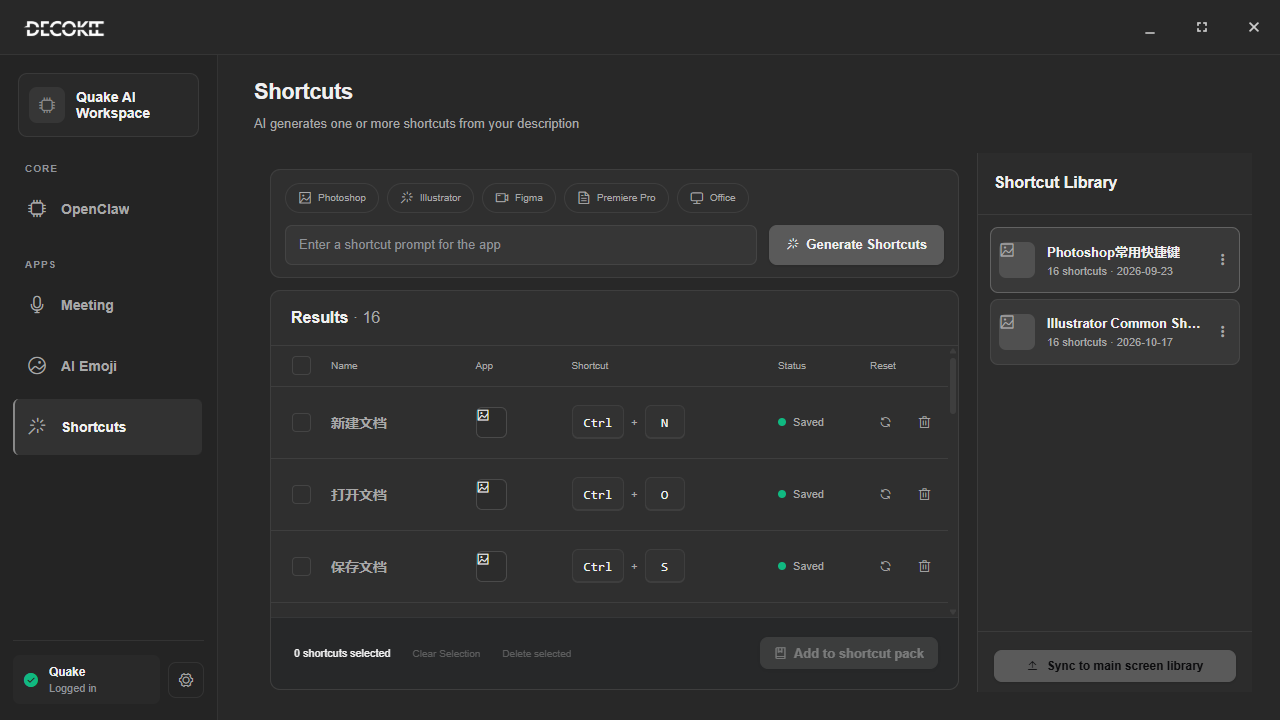
- Click "Add AI Plugin" in the right panel
- Type a natural language description (e.g., "Design a video editing shortcut set")
- Click generate
- AI creates the full config and shows it in the list
- Drag it to the grid
AI Generate Wallpaper
3 wallpaper sources for the DECOKEE Deck screen:
- Static — PNG/JPG images
- Dynamic — MP4 videos
- AI-generated — AI creates images/animations from descriptions
Path: colourful-screen settings → wallpapers (see Colorful Screen profile)
AI Meeting System
Entry: Workbench → Meeting.
| Feature | Description |
|---|---|
| Recording | Real-time audio capture |
| STT | Automatic speech-to-text |
| AI Minutes | Summary + action items |
| History | Review past meetings in Management Center |